
Author Archives: Scott

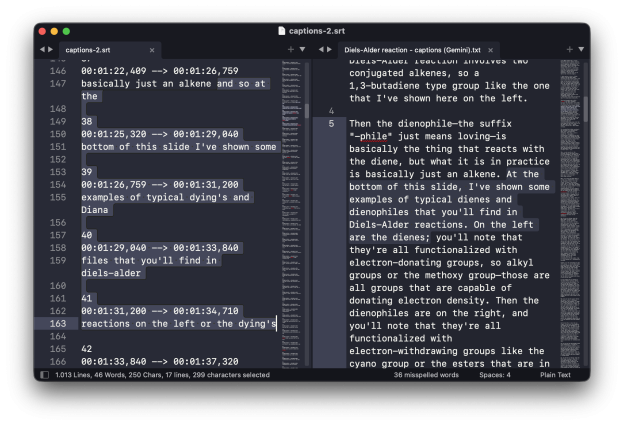
Screenshot showing the corrections of video captions by Gemini. On the left are the original captions from YouTube, on the right are the corrections. Chemistry words like "diene" and "dienophile" are consistently fixed.

Fixing YouTube’s automatic captioning with AI

I use a lot of homemade YouTube videos as part of my lab courses. Most of the wet labs have a short (10–15 min) prelab video that covers whatever concept we’re exploring that week. Miami is also a little unusual (for US departments, at least), in that we teach the spectroscopy of organic compounds as part of the lab courses. In my classes, we do this using an inverted classroom approach, where the students watch longer (~40 min) lectures on IR spectroscopy, NMR spectroscopy, or mass spectrometry and then do an assignment in-class with help from me and the TAs.

So, there are a fair number of videos associated with these courses, most of which date from around the pandemic era. An ongoing problem, however, has been that the closed captions for these videos are just the ones generated automatically by YouTube, and they are terrible. Captioning by YouTube has improved in recent years, but 5 years ago it produced long, stream of consciousness rants free of punctuation or capitalization. Even for newly uploaded videos, the captions tend to have mistakes associated with misinterpreting chemistry words and are just too literal. I think the captions have more value if they edit out filler words (“um”) and correct misspeaking. (I have a bad habit of occasionally false starting sentences, double-speaking the first word or two. I don’t think it’s too bad in most of the videos, but I’d rather that the captions skip over mistakes like this.)

New standards associated with the Americans with Disabilities Act mean that all course videos now need to have quality captions. Honestly, though, I should have fixed these years ago. My wife and I can’t even watch Ted Lasso without turning on the closed captions. The value for students new to the chemistry “language” is obvious. The problem is that correcting hours of poorly constructed autogenerated captions by hand is extremely tedious.

I have recently become AI-curious, and this seemed like a good test project for an LLM. I am skeptical of most of the hype around LLMs, but if they are going to be useful for anything, surely it should be manipulating language.

Continue reading
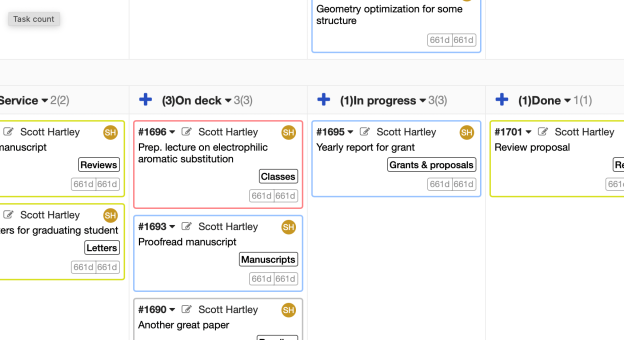
Zoomed in example of a kanban board

Managing an academic life with Personal Kanban

I first heard of kanban ages ago as a passing mention on a tech podcast I was listening to. If you’re unfamiliar, it is a lean method for streamlining manufacturing that originated at Toyota. It has been widely adopted in the tech industry for software development.

Very briefly, the core of the method is a kanban board, which is probably most easily visualized as a large table with Post-it notes that can be moved around. Each note represents a work item. They are put in columns that indicate their status (e.g., “To do”, “In progress”, “Finished”). Given its history as a way to coordinate teams, I tried to use the kanban method to help manage my research group. But to be honest it really never clicked. It was more of an imposition on my students than something that was genuinely useful.

What has been very useful is using a private kanban board to manage my personal productivity. This method is based on the book Personal Kanban by Jim Benson. I messed around with various todo list methods for years and none of them worked for me. The personal kanban method has been genuinely life changing, however.

Continue reading

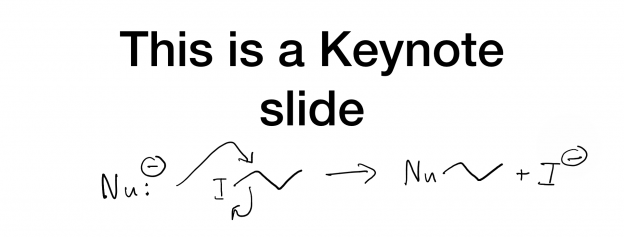
Annotating lecture slides with an iPad and Sidecar, live and in recordings

I like to design my lectures around slides that can be annotated. When teaching standard organic chemistry courses, I leave lots of blank spaces (e.g., for mechanisms). This provides a bunch of advantages: it makes the students draw structures, which I think is important; it controls the pace of the lecture; and it substantially shortens lecture prep time by cutting down on all the ChemDraw.

Miami has installed smartboards in most of our lecture halls at this point, but I’ve never used them. I’m a bit too uncompromising as a Mac/Keynote user (this should work with PowerPoint too), and I’d much rather use an iPad. For years I used the Doceri app. This worked pretty well through many iterations of lecture classes, but I was never completely satisfied with Doceri; it does its job, but there were small nagging problems. For example, it has poor Apple Pencil support (at least as of a few years ago), and I never loved the way it would freeze the screen when you wanted to write something.

I spent a few years teaching mostly lab classes and put this sort of stuff aside. This spring, I was back to teaching second-semester sophomore organic chemistry and it seemed like a good time to revisit my options. I came up with a good working solution, then the COVID-19 outbreak hit and I had to move everything online. Fortunately, the same method works well for recording lectures and posting them to YouTube.

Continue reading

A personal article resolver in Python

A while back, I wrote a little post on my fondness for the Chemistry Reference Resolver. It is a wonderful tool for quickly accessing journal articles in a not-so-hyperlinked world, especially when used via an app launcher like Alfred. However, I would occasionally run into a journal that it didn’t connect to. I’m also often looking for little scripting projects, so I decided to put together a Python program that would replicate (some of) its behavior and could be run locally.

Continue reading

An improved filter for handling schemes, charts, and graphs in pandoc

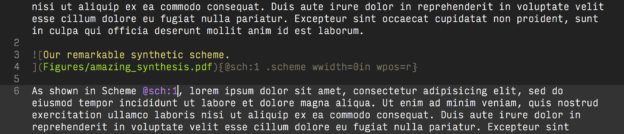
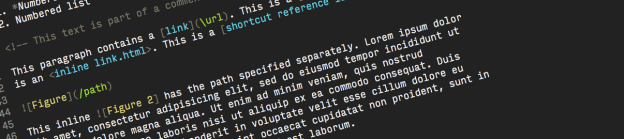
About a year and a half ago, I wrote a series of pandoc filters designed to facilitate writing chemistry in pandoc. Specifically, I was looking to solve a few problems:

  • Not surprisingly, there is no native support for alternate figure types (schemes, charts, etc.) in pandoc.
  • Pandoc takes advantage of LaTeX’s native captioning. This has the side effect of adding labels (“Figure X”) to captions in LaTeX/pdf output, but not in other formats (e.g., html, Word). I always found this mildly irritating since the same markdown is rendered differently in different formats.
  • Pandoc doesn’t have native cross-referencing support (although I suspect that will change down the road).
  • Pandoc doesn’t natively support the “wordwrap” LaTeX package, so text does not flow around figures in LaTeX/pdf output. In principle, I don’t have a problem with this, but if you’re writing with a hard page limit it’s a huge problem.

The cross-referencing issue is a big one, and not surprisingly there are excellent filters already available that provide this functionality (e.g., pandoc-fignos, pandoc-numbering). However, for the specific combination of problems faced by a chemist trying to write reasonable looking chemistry, I didn’t find solutions that exactly met my needs.

Continue reading

Modular, simple vector diagrams of glassware

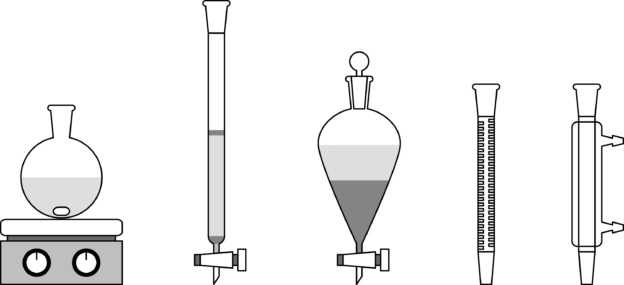
Recently, I was working on an exam for a lab course, and wanted to ask a few questions about basic reaction setups. I had a harder time putting together simple figures than I would have expected. ChemDraw has some half-decent options but they’re useless if you need something they don’t already have and, let’s face it, those 3D flasks with the little logos are just trying to hard. After a few frustrating hours, I gave up, and decided that it wouldn’t be so hard to throw together the basics on my own.

Continue reading

Alfred and the Chemistry Reference Resolver

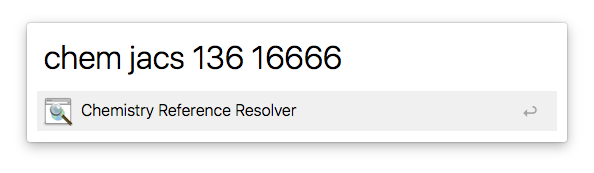
We live in a strange time. Working at a small/medium-sized university, I can access almost any scientific article published in the 20th century without leaving my office chair. In principle, each of these articles is interconnected to the rest of the literature through unique citations, and yet the state of linking between these many documents is terrible. Even the most recently published articles tend to be shamefully isolated.

Continue reading

Visualizing molecular isosurfaces (MOs, etc.) in Blender

For all that I like using Blender as a tool to visualize molecular structures, there are obvious tradeoffs when using general-purpose software instead of something customized for chemistry. One of those tradeoffs is that there’s no obvious way to import various kinds of computational chemistry data.

For me, this is most often molecular orbitals, which we occasionally want to show in manuscripts. So, I started to think a bit about how to render isosurfaces in combination with imported geometries. I briefly considered trying to write something that processes cube files (from Gaussian), but quickly gave up. Instead, I’ve found that Jmol does the job wonderfully, and with minimal fuss.

Continue reading

Wrapping figures in pandoc pdfs

In general, I like to write my pandoc documents as close to the canonical format as possible and let LaTeX deal with positioning figures. It works pretty well, and it’s infinitely more straightforward than doing it in Word. However, LaTeX doesn’t natively wrap text around figures, and sometimes you really need to maximize the use of space. In pure LaTeX, this can be done with the wrapfig package. In pandoc, this package can be used through a template, but it’s a little tricky if you don’t want every figure treated the same way.

Continue reading